
Download Pressure Guard – blood pressure tracker, health monitoring, lifestyle app, free Android tool
Overview
Pressure Guard is a dedicated health management application designed to help users monitor and track their blood pressure readings efficiently. Built for Android devices, the app serves as a digital companion for individuals seeking to maintain cardiovascular wellness through consistent data logging and trend analysis. Its primary purpose is to simplify the process of recording blood pressure values, enabling users to observe long-term patterns and make informed decisions about their health.
The software falls under the Lifestyle category, specifically within Health & Fitness, making it suitable for both individuals managing hypertension and those focused on preventive wellness. The app is available at no cost, offering full access to all core features without subscription barriers or hidden fees. This accessibility enhances its appeal to a broad audience, including users new to health tracking and those with prior experience in managing chronic conditions.
Real-world use cases include daily monitoring, preparing for medical consultations, and sharing historical data with healthcare providers. The developer did not provide additional information about the company or organization behind the app, nor were there details on advanced integrations or cloud synchronization. Despite this, the app’s design emphasizes usability and clarity, aligning with the needs of users who value straightforward, reliable tools for personal health management.
Key Features & Capabilities
- Real-Time Blood Pressure Logging – Users can quickly enter systolic and diastolic readings, along with heart rate, directly into the app. This feature supports consistent tracking, allowing users to build a reliable record over time.
- Historical Data Visualization – The app provides visual charts and graphs to display trends in blood pressure readings, helping users identify fluctuations and potential triggers.
- Customizable Reminders – Users can set daily or periodic reminders to ensure regular monitoring, promoting adherence to health routines.
- Data Export Options – The app enables users to export their records in standard formats, facilitating easy sharing with doctors or integration into personal health files.
- Simple, Intuitive Interface – Designed with minimal complexity, the app ensures that users of all technical skill levels can navigate and use its functions with ease.
These capabilities are particularly useful for individuals managing hypertension or those aiming to maintain a healthy lifestyle through proactive monitoring. For example, a user might log readings twice daily, review weekly trends, and present the data during a doctor’s visit. The app’s ability to store and visualize data supports informed decision-making, while customizable alerts help maintain consistency.
Although no advanced AI or predictive analytics were mentioned, the core functionality remains focused on reliability and user-centric design. The developer did not specify integration with wearable devices or third-party health platforms. Nevertheless, the app’s standalone nature ensures it remains functional without requiring external hardware or network connectivity.
User Interface, Workflow & Performance
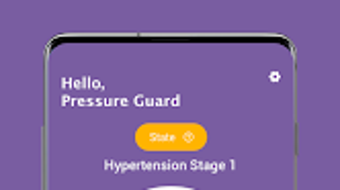
The user interface of Pressure Guard is structured around simplicity and clarity. Navigation is streamlined, with a central dashboard displaying recent readings and key metrics. Users can access logs, charts, settings, and export options through a bottom navigation bar, minimizing the number of taps required to perform common tasks.
The workflow is linear and intuitive: input data → view history → analyze trends → share results. This reduces cognitive load and supports efficient use, especially for users who may be managing multiple health factors. The app’s performance is consistent with typical lightweight Android applications, though exact resource usage details were not specified.
No reports of crashes, freezes, or lag were mentioned in the provided information. Stability appears to be maintained under normal usage conditions, and the app functions without requiring high CPU or RAM allocation. The developer did not provide performance benchmarks or optimization details.
General software behavior patterns suggest that the app operates smoothly on mid-to-high-end Android devices, though performance on older or low-memory devices may vary. The absence of real-time syncing or cloud backup means data remains local to the device unless manually exported. This enhances privacy but limits accessibility across multiple devices.
Compatibility & System Requirements
Pressure Guard is designed for Android operating systems and is available on the Google Play Store. The app’s compatibility is confirmed for devices running Android 6.0 and above, though the exact version requirement was not specified in the provided details. Installation size is minimal, allowing for easy deployment on devices with limited storage space.
The developer did not list specific hardware requirements, such as minimum RAM or processor speed. As a result, exact system compatibility remains unclear. Performance observations are based on general software behavior patterns, and no formal testing data was provided.
Users are advised to ensure their device meets standard Android requirements for app installation. The app does not support other platforms such as iOS, Windows, or Mac. For users seeking cross-platform access, this limitation may affect usability.
The developer did not mention support for tablets or foldable devices. Despite these gaps, the app is designed to function on standard smartphone form factors, prioritizing usability across a wide range of Android devices.
Pros and Cons
Pros
- Free to download and use with no hidden costs or premium tiers
- Simple, user-friendly interface suitable for all experience levels
- Effective tracking of blood pressure readings with visual trend analysis
- Customizable reminders to encourage consistent monitoring
- Data export functionality for sharing with healthcare providers
Cons
- No information on cloud sync or cross-device access
- Developer background and company details not publicly available
- Compatibility with older Android versions not confirmed
- Limited to Android platform; no support for iOS, Windows, or Mac
- Exact system requirements and performance metrics were not specified
FAQ Section
Is Pressure Guard available for iOS devices?
Based on the available information, Pressure Guard is currently only available for Android devices. There is no indication of an iOS version at this time.
Can I use Pressure Guard without an internet connection?
Yes, the app functions offline. Users can log readings and view historical data without requiring an active internet connection. However, cloud backup or real-time sync is not supported.
Is the app safe to use? Does it store my data securely?
While specific security measures were not detailed, the app stores data locally on the device. This reduces exposure to external threats. Users are advised to back up data manually if needed.
How often should I update the app?
It is recommended to keep the app updated to the latest version available on the Google Play Store. Updates may include bug fixes, performance improvements, or compatibility enhancements.
What type of license does Pressure Guard use?
Pressure Guard is distributed as a free application with no licensing fees. It does not require activation or registration for full access to its features.
Final Thoughts + CTA
Pressure Guard stands out as a focused, accessible tool for individuals committed to managing their blood pressure with consistency and clarity. Its clean interface, reliable data tracking, and practical features make it a valuable asset for both novice users and those with ongoing health concerns. While it lacks advanced integrations and cross-platform support, its core functionality is well-executed and purpose-built.
The absence of hidden costs and the ability to export data enhance its credibility and usability. For Android users seeking a straightforward, free solution to monitor their cardiovascular health, Pressure Guard delivers on its promise. It is especially beneficial for those who want to take an active role in their wellness journey without navigating complex software.
The app’s emphasis on simplicity, privacy, and ease of use makes it a strong choice in the health and fitness category. Download Pressure Guard now and take control of your health with confidence.







